
For piano teachers · Private pilot
Your studio.
In good hands.
Know your students. Plan your week. Keep the music moving.
Bring your roster, lessons, and teaching plans into one calm workspace, with a clear path from the lesson to family practice at home.
A small pilot. A personal invitation.We’re inviting a few teachers to help shape Étude Spark around real studio life.
Explore the workspaceA teacher’s day.
Plan at your desk, keep a student’s details beside you on a tablet, or check the next lesson on your phone.
Today’s Roster adapts to the space you have, keeping the day’s lessons and the details you need within reach.
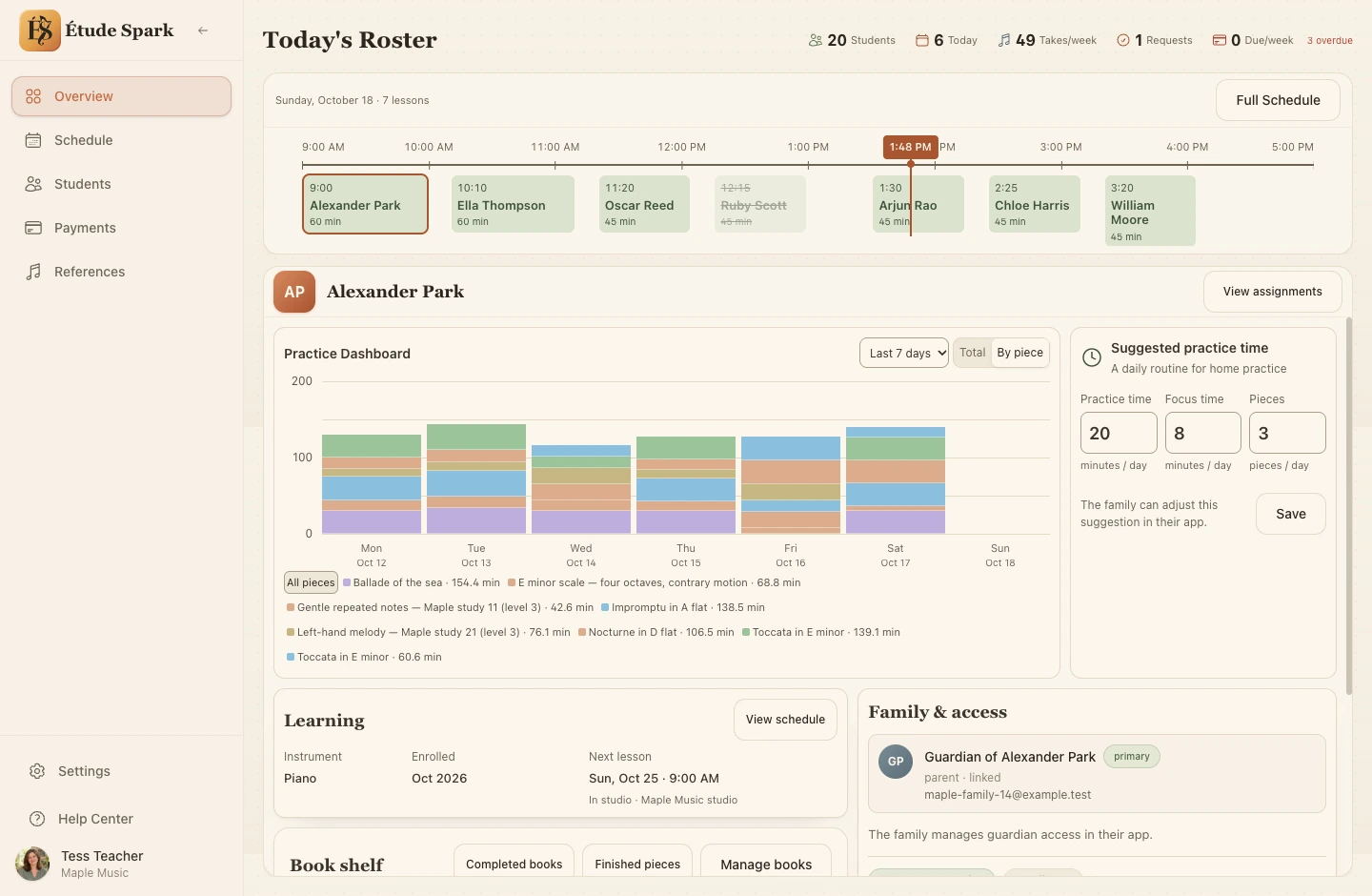
The whole day at a glance.
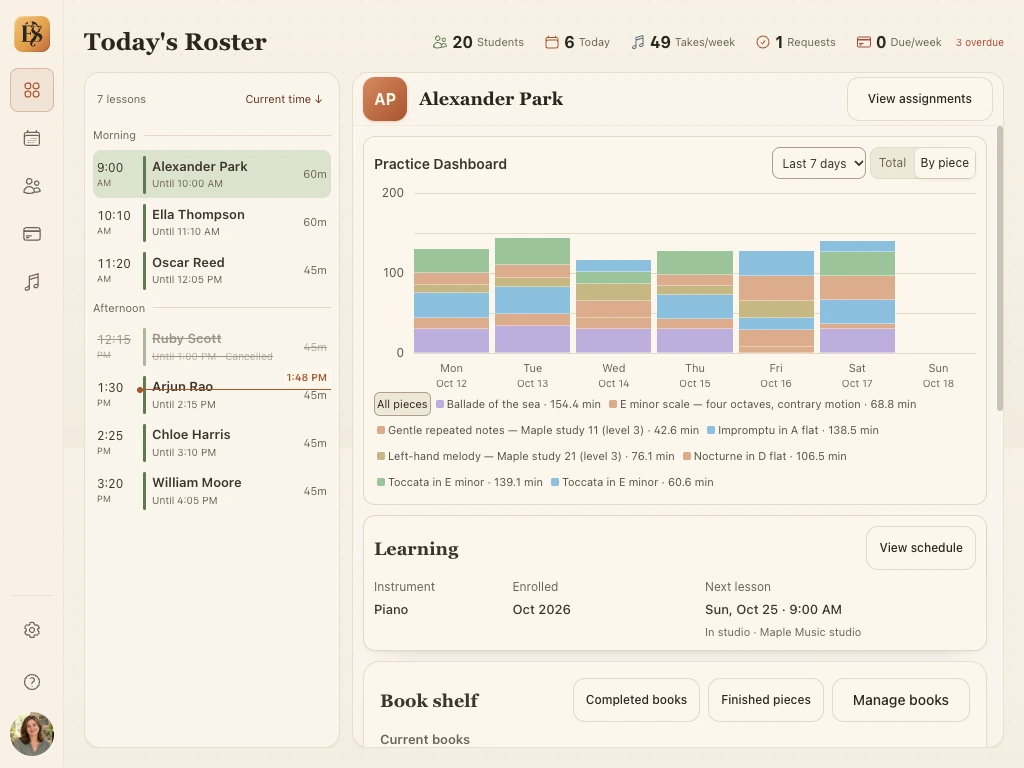
Your agenda and student, side by side.
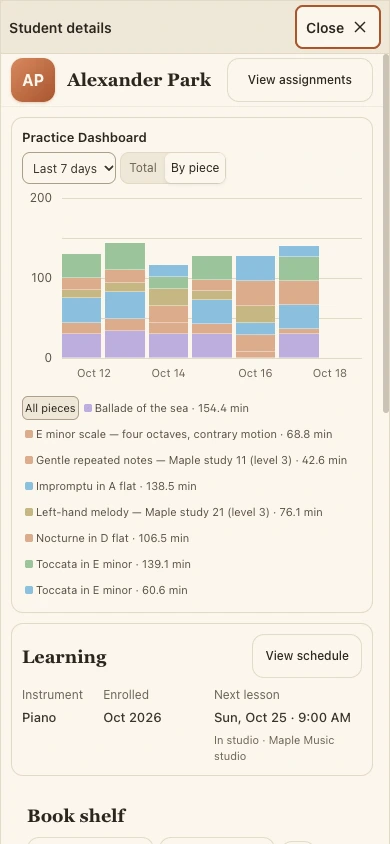
Your student’s progress, close at hand.
Real screens from our demo studio. All students and practice activity shown are synthetic.
See the practice
between lessons.
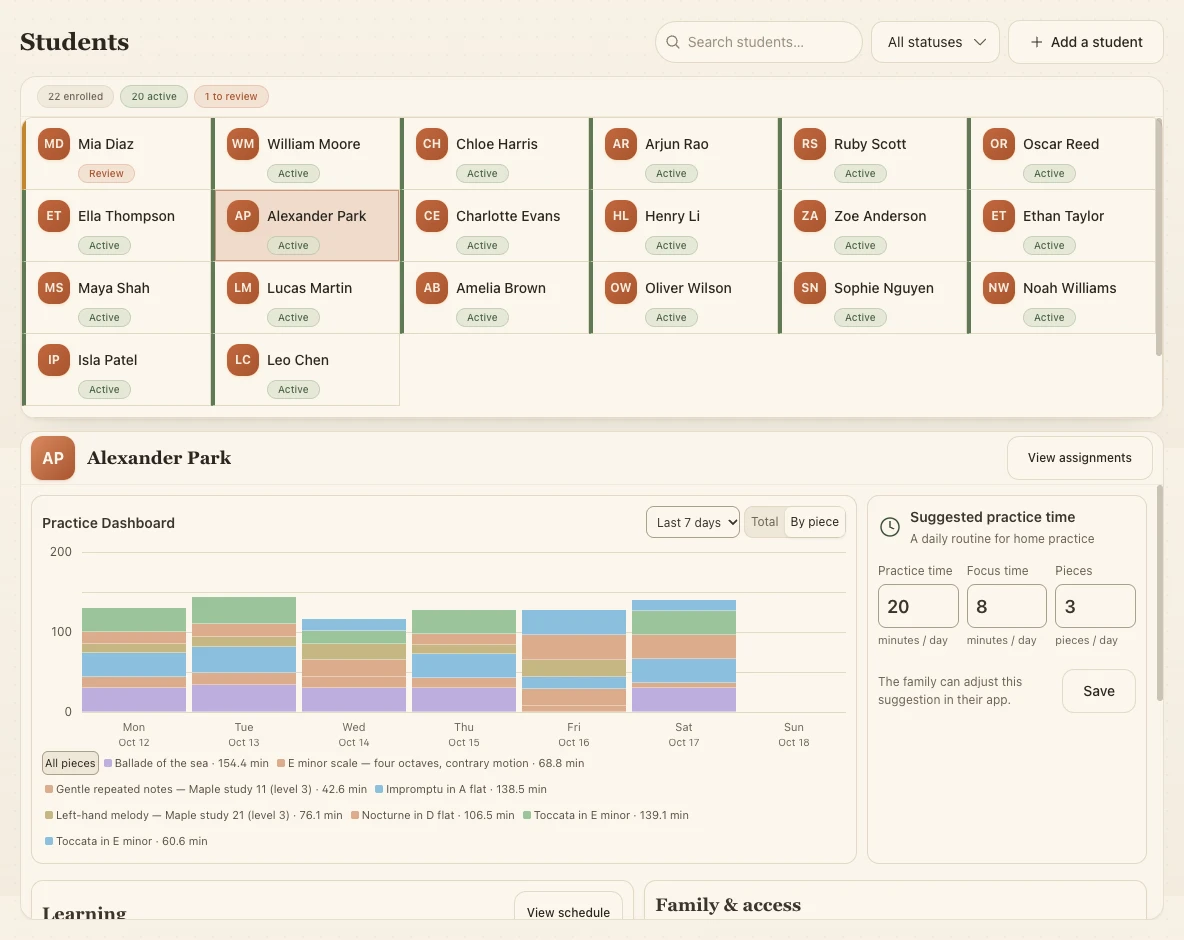
Choose a student to see their week of practice, broken down by day and piece. Set suggested daily practice time, focus time, and the number of pieces to work on.
The family iPhone beta tracks active practice time and shares activity here with family consent, giving you a starting point for the next lesson.
A little more rhythm
to your week.
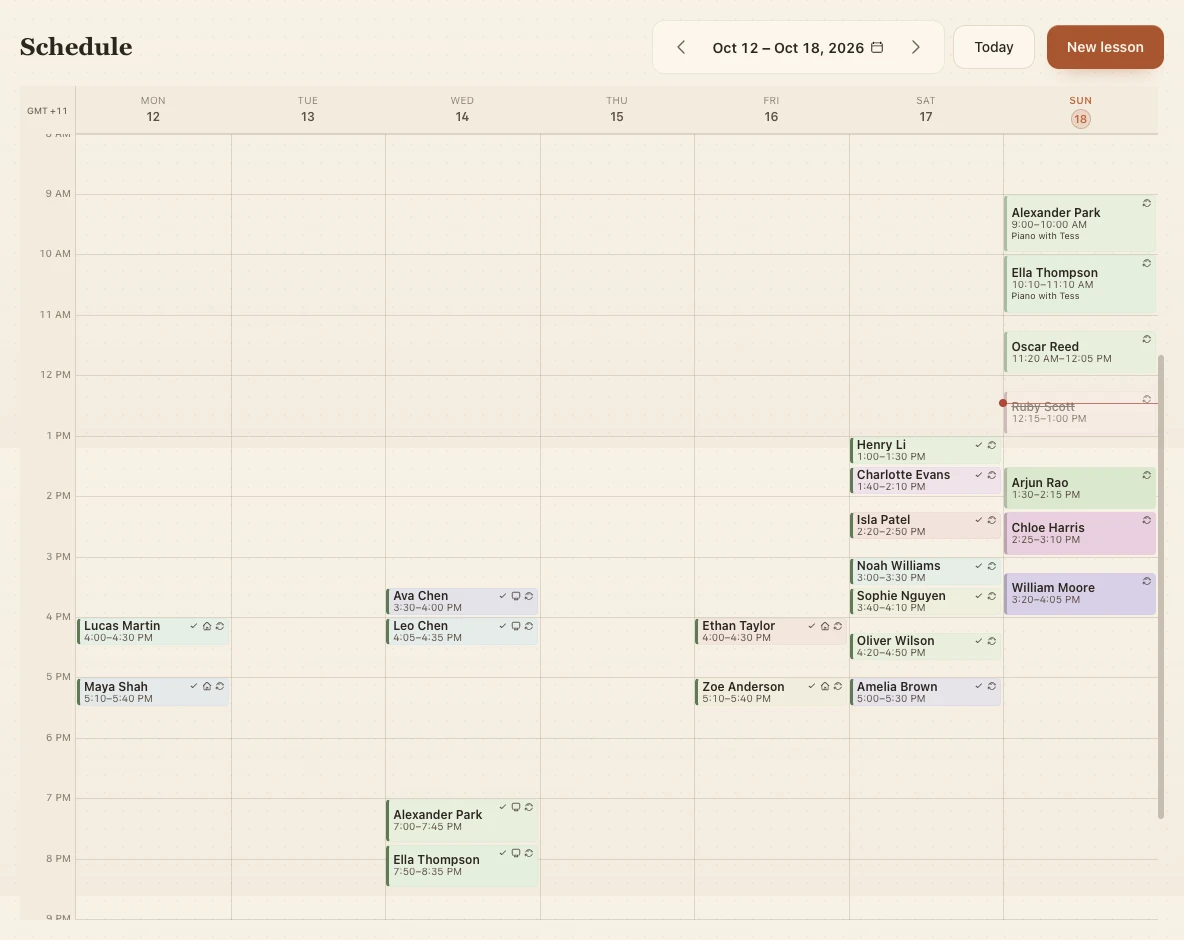
See lessons across the week, set up a recurring routine, and make room when plans change. Families in the iPhone beta can check their next lesson’s date, time, and duration in the app.
- One-off lessons and repeating series
- Lesson locations and travel time
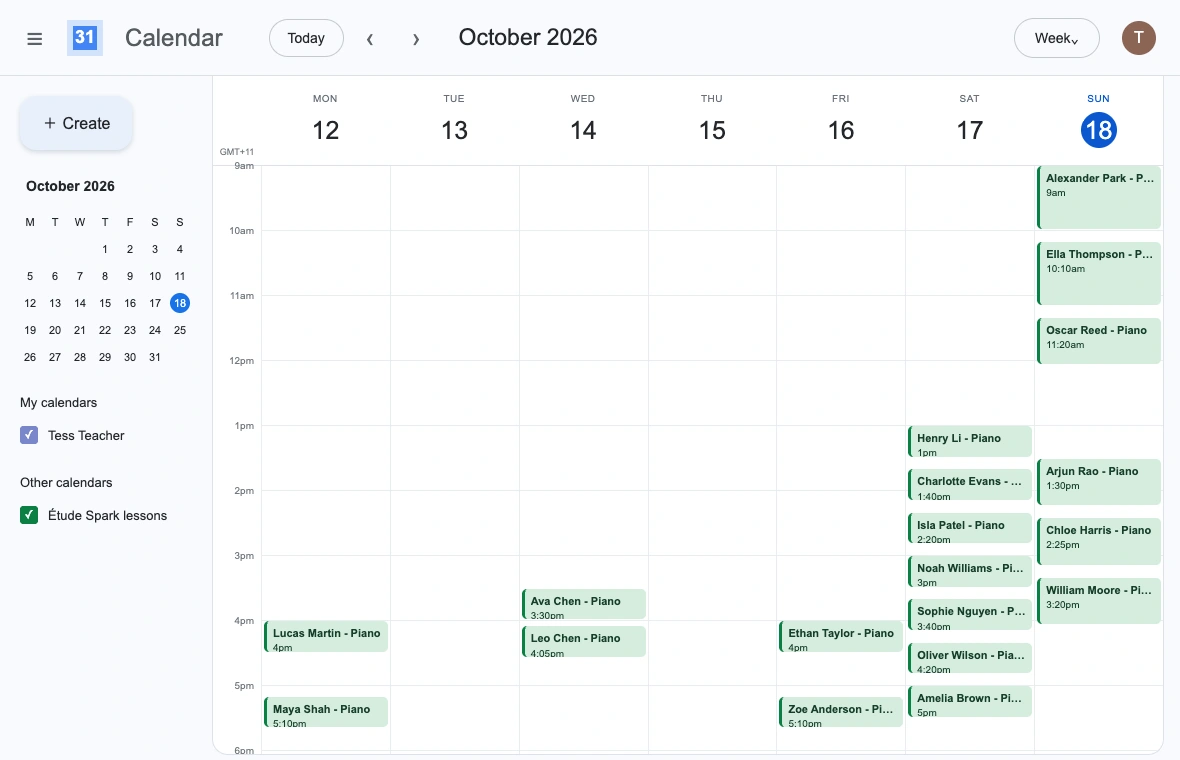
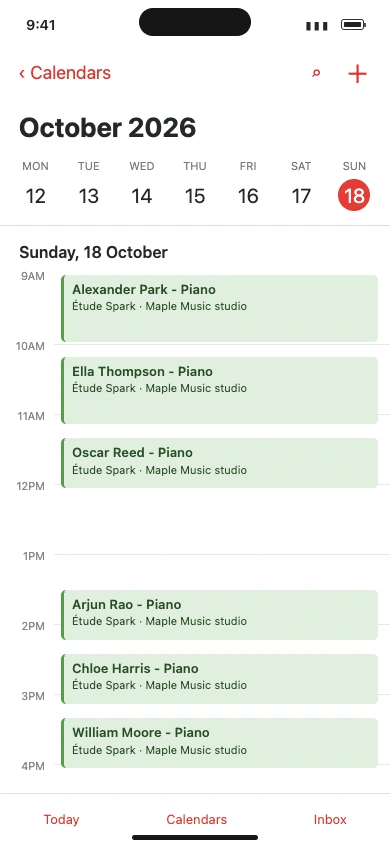
- Subscribe in Google Calendar or Apple Calendar
Keep your lessons alongside the rest of your week with a calendar subscription. Updates come through as your calendar app refreshes the feed.
Keep the thread
from lesson to lesson.
Give every piece a clear next step. Choose short sections of a piece as practice Spots, set repetition targets and tempo, then keep your lesson reviews alongside the plan.
Your plan carries into the family iPhone beta, so parents and students can follow the same Spots, repetition targets, and tempo at home.
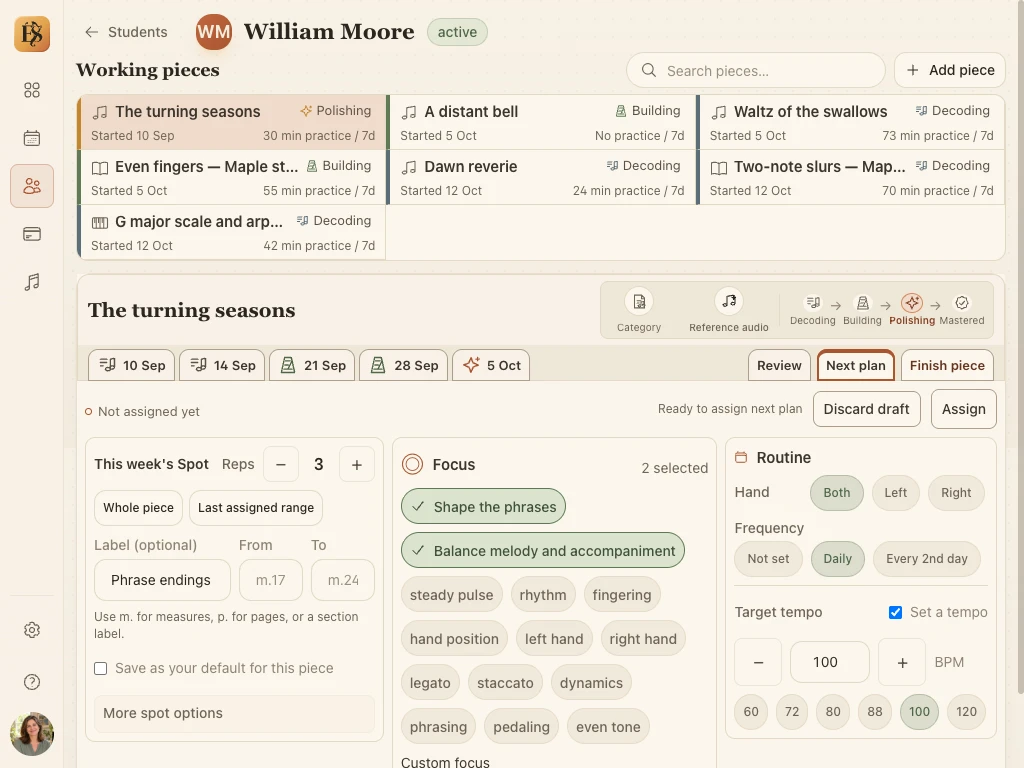
Specific practice. Name the passage, choose the hands, and give families a clear, manageable starting point for practice.
Context that lasts. Keep reference audio and private teaching notes with the piece, ready for the next lesson.
Record once.
Return to it together.
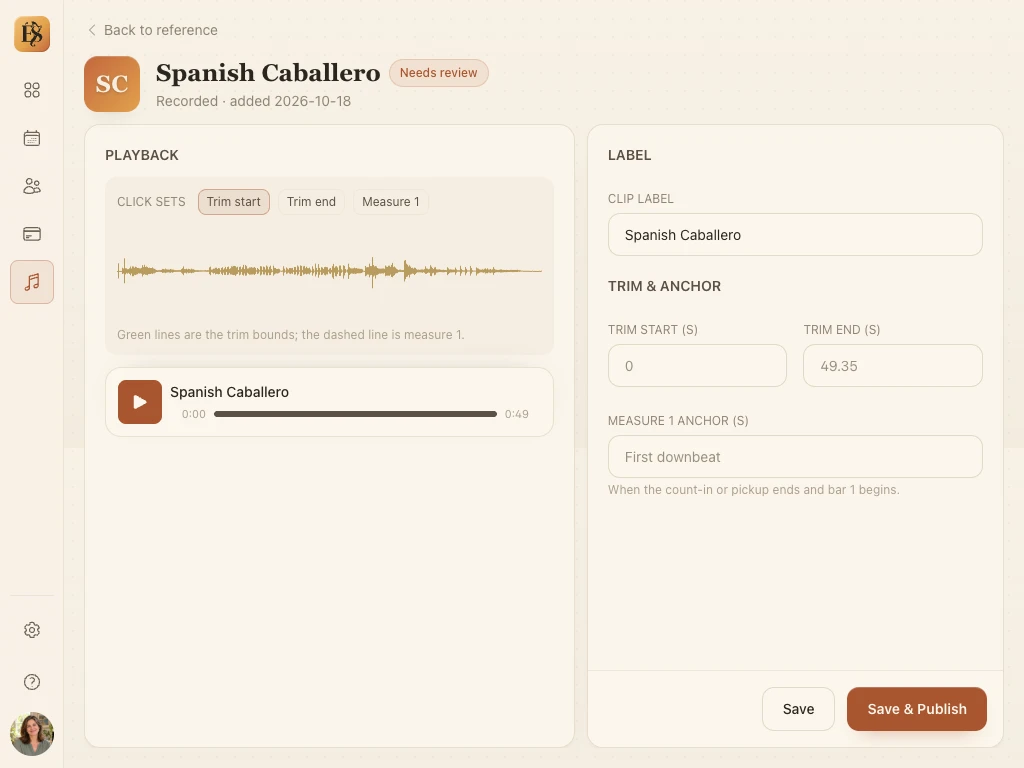
Record a reference right in your browser, or import an audio file you already have. Trim it, mark where the first measure begins, and attach it to an assignment. Families in the iPhone beta can listen again in the app, keeping your example close between lessons.
- Record and edit directly on the web
- Import your own audio files
- Organise by book or piece and reuse across assignments
A front door
for your studio.
Give new families a place to get to know you. Introduce your approach, explain your lessons, and show them how to get in touch.
Choose a page style, make it yours, and check the preview before you publish.
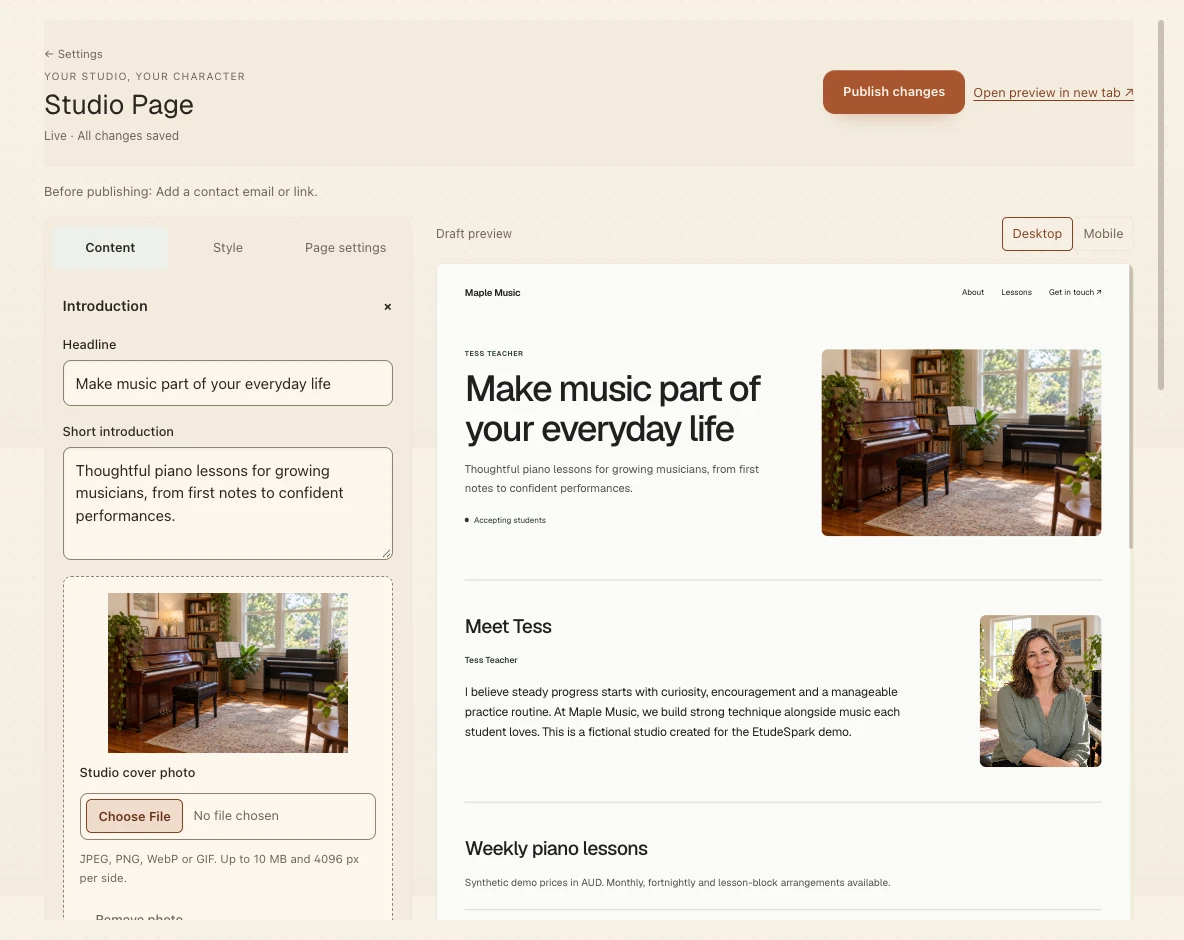
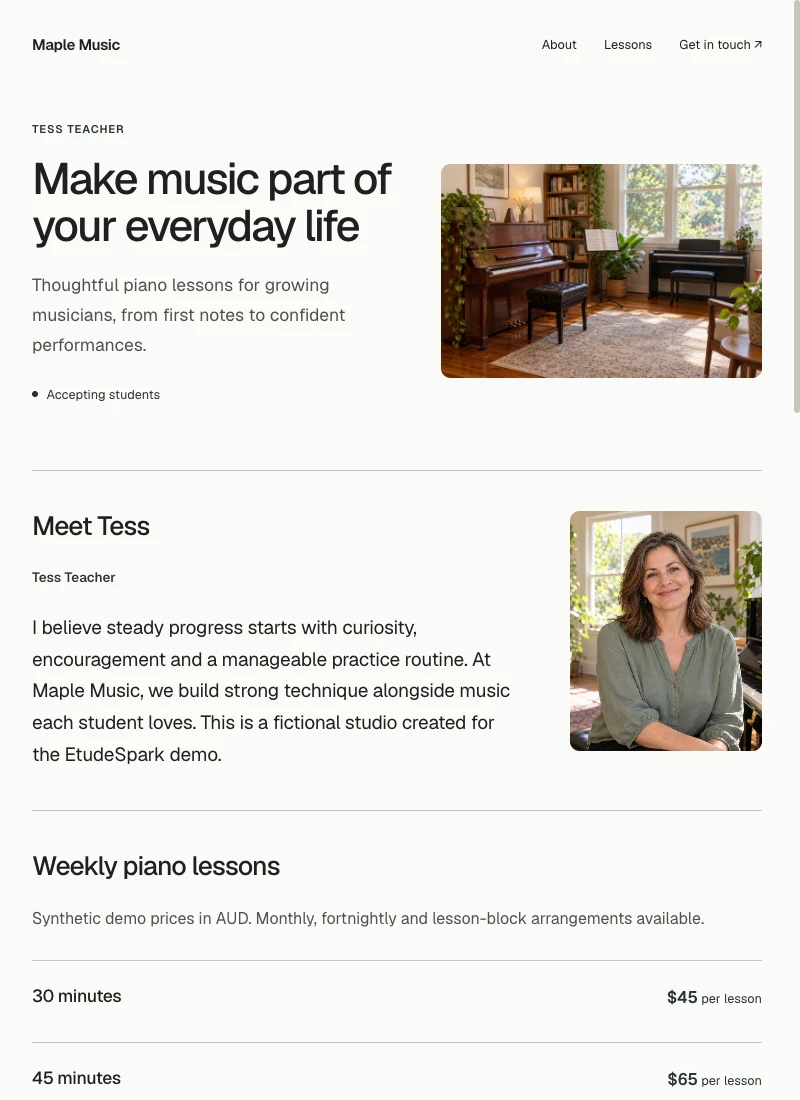
Your introduction, lesson options, teaching approach, photos, FAQs, and contact details — in a page that feels like you.
Keep the practical
side in order.
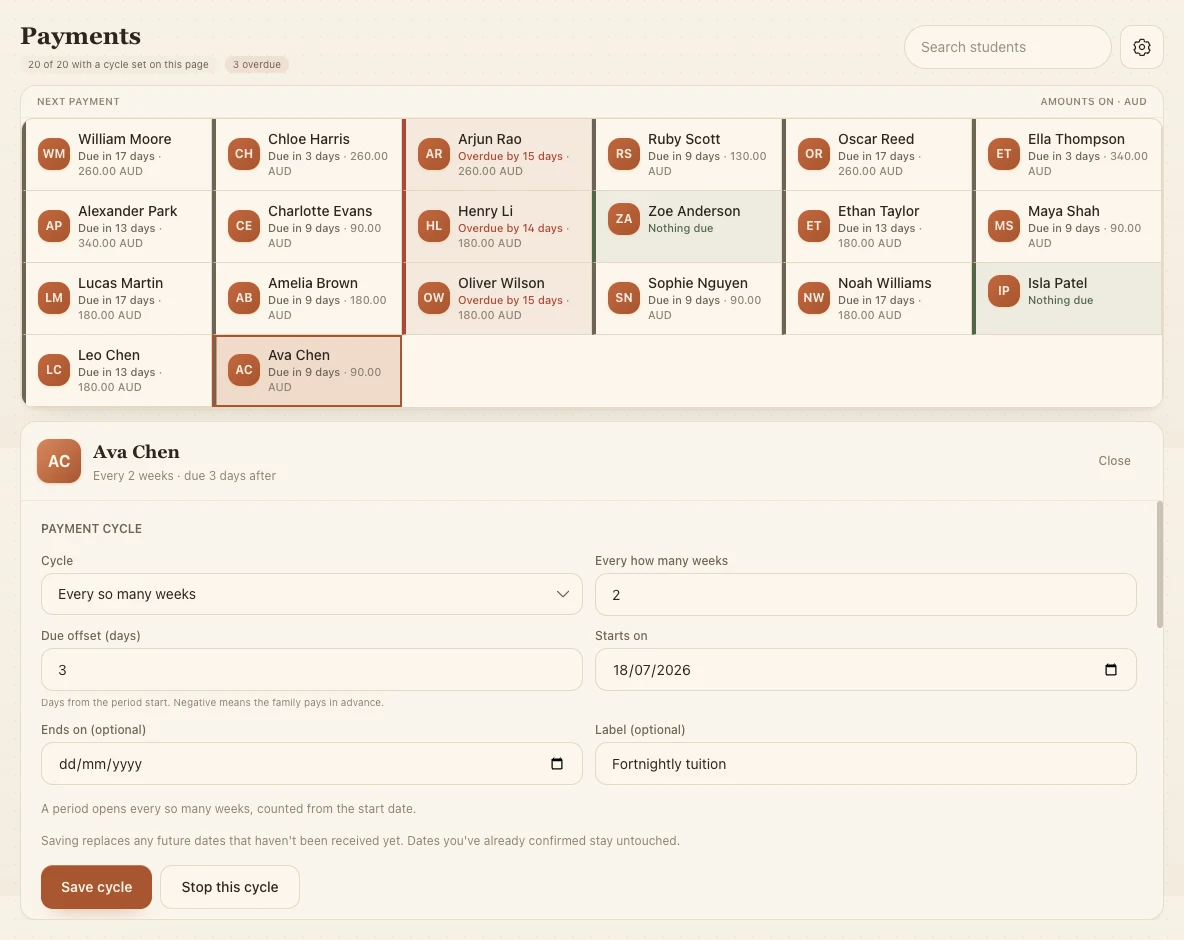
Set a payment cycle for each student, add individual due dates, and record when a payment arrives.
Families in the iPhone beta can see reminders for their payment cycle’s due dates, helping everyone stay clear on what’s due and when.
Payments are tracked here; money is collected through your usual payment method.
The companion iPhone app · Now in beta
Your plan.
Their next practice.
Keep the lesson going at home. Your assigned pieces, focus points, and practice instructions appear in your student’s family app, ready for their next visit to the piano.
- A shared plan for parents and guardians to follow
- Practice time tracked automatically as students use the practice tools
- Recordings and a growing practice history to revisit together
With the family’s consent, shared practice activity gives you context for the next lesson. Families can also see upcoming lessons and payment due-date reminders.
Explore the iPhone app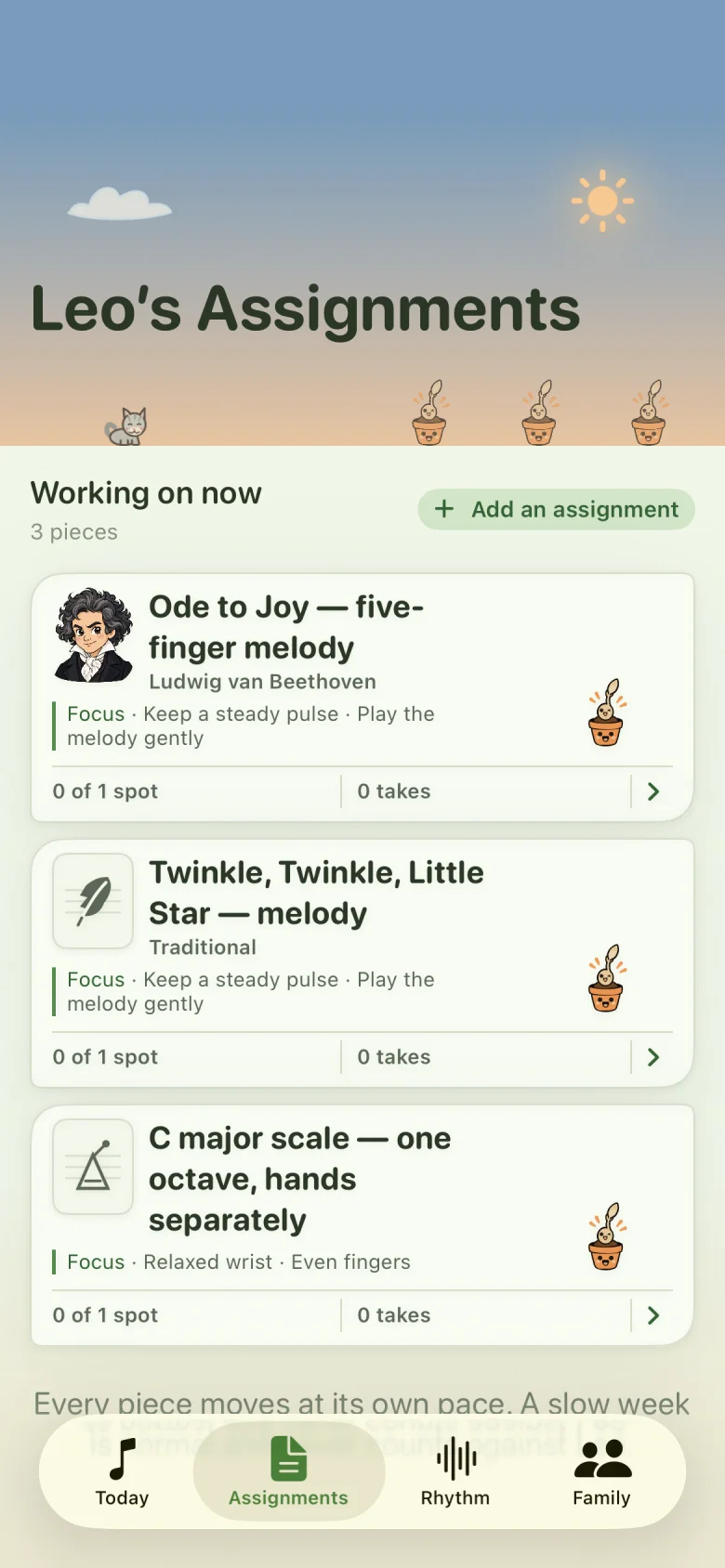
Teacher pilot · By invitation
Your experience.
Our next chapter.
We’re working with a small group of piano teachers to see how Étude Spark fits into everyday teaching. Your feedback will help shape what we build next.
Already received a personal invitation? Reply to it and we’ll help you get your studio set up.
Teacher access is currently by invitation.